
Yes, they make a Mac now that implants in your eyeball.
Reducing Word and PDF file size: automated. Kind of.
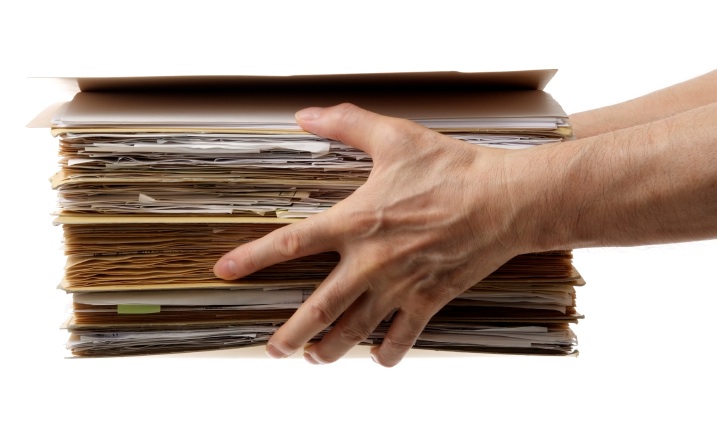
I HAVE A GIANT WORD/PDF DOCUMENT HELP ME WHAT DO I DO.
Panic not. First, I must congratulate you that you’ve noticed. Unless your document is so monstrous that you noticed its size because your computer started yelling at you, I’m glad you are being a conscientious citizen and not emailing 15mb files left and right, willy nilly. This is bad etiquette, poor form, not done.
On the other hand, you might want to get that file to someone, so what’s a good etiquette, fine form displaying individual to do?
My Printer Stopped Working: or, how to make me unable to pay my bills
First, a disclaimer: I hate printers. I mean, I really do. It’s a voodoo industry, full of cheap-yet-secretly-expensive devices, that seem intent only on never working exactly as they should. They are consistent in their inconsistency, and reliably rubbish. Inkjet printers have ink that costs enough to make you think they need harvest unicorn blood, and laser printers are the size of a unicorn stall. Or weird little gears and gizmos go out of whack, like some sort of fiendish goblin contraption, and it literally costs more than a computer to get the part replaced.
All that being said, there are a few, tried and true, reliable things that fix 95% of the problems people call me about when it comes to printers. Theres lots of OTHER things that go wrong, but this little procedure is what I always try first, and it generally does the trick.
New Mac Trojan variant: on not panicking and checking it out
There’s been a lot of excitement today about a Trojan targeting Macintosh computers. There is some excellent in depth coverage over at Macworld, but I wanted to hit on some highlights for people who have been asking me about this.
First, don’t panic. Even if the high end estimates are true, about 600,000 macs are infected, which amounts to about 1% of all the Mac users out there. By those percentages, I would still carry on being a great deal more worried about a great deal many more things, such as your backup plan.
That being said, unlike 99% of all the other scares out there, this one is real in the sense that by visiting the wrong website (apparently, a lot of them are ones ending in a .nu domain – which I must admit, I’ve never even seen. Still, a lot of times those incredibly aggravating pop up windows that shady websites pop up for you lead to funkypants domains) you can become infected, and not even know it. The malware does give a few clues that something is up – upon installing itself within your user folder, it will pretend to run Software Update and ask for your administrator password, so it can gain wider access to the rest of the system. Even if you are savvy enough to deny it (and remember, always ask yourself, why is something suddenly asking for my password? Is this what I expected, and a normal part of my computer routine?), it will still install itself and run in a more limited, but still threatening, capacity.
Safari isn’t saving my password – or, Keychain Access Adventures
Update 10/3/13 I’ve been getting a higher and higher number of people asking about Safari flat out refusing to save passwords on certain sites where it used to.
A bit of research made me realize what I should have known: Safari 6 and up will respect a website requesting that certain fields not be autocompleted (such as PayPal and Yahoo). There’s not much you can do about it within Safari, although you could use a third party password manager such as 1Password or a free extension (that link will download it) that would make Safari ignore the autocomplete request.
Update: I’m getting a surprising number of people from around the planet hitting this article, searching for things like ‘Safari isn’t saving password’, ‘Mac keychain’ and ‘why oh why am I always being asked for my keychain password someone help me please’. Anyway, if the article doesn’t answer the question, don’t hesitate to drop a question in the comments.
Your Mac, much like, say, a sheepdog, is supposed to make your life easier by fulfilling your commands. And much like a sheepdog, when you give it a clear, distinct command, and it lopes off into the sunset ignoring it completely, it’s apt to raise your blood pressure.
Just to take an example: lets say you’re doing your daily check in on your webmail, and lets say you’re using yahoo mail. You cheerfully plug in your username and password, and when Safari asks you ‘Hey, would you like to save this password for later?’ you say ‘yes.’
The next day, you happily surf back to Yahoo webmail, innocently expecting that there will be no more password typing for you (after all, typing 123456 can get a bit old).
As an unusually perspicacious individual (evidenced by you reading this blog), you’ve probably already guessed the punchline: not only has your Mac NOT remembered the password, but it pretty much refuses to do it even after you go through the entire denial, rage, and piteous begging stages of troubleshooting.
What is up?
The photos of Richard Murphy
Richard Murphy, former photo editor of the Anchorage Daily News and current Atwood Chair for Photojournalism and Public Communications for UAA, took all of these photos with an iPhone. You can hear our interview with him tonight on Radio Free Palmer.
OS X 10.8 Mountain Lion, or the Evolution of the Lion
With all rumors focused intensely on the upcoming iPad that seems almost certain to drop in March, I felt pretty blindsided by Apple popping up and going “Hey! New version of the Mac OS is here! Guess what comes after Lion? Mountain Lion. Bwa ha ha ha.”
So, 10.6.8 is on the horizon, and in time honored traditions, it adds Stuff to the operating system and Opinions to the Mac nerds out there. Of which I am one. So I have Opinions, and I get to Share! I love capitalizing things.
Mountain Lion continues, not surprisingly, what Lion started: merging what you find on the iPad and iPhone (iOS) into the Mac (Mac OS). I’ve started putting the various OS’s in parentheses so people can ignore them, as I’ve found the minute I utter a phrase like Mac OS eyes begin to glaze. Acronyms are the most powerful eye glazing material known to man.
Aaat any rate, there are a bunch of new features, like moving notes out of Mail and into it’s own application (thank goodness), renaming iCal into Calendar (bittersweet but obvious) and making it be a little less lame at the same time.
I’m going to hit the top 3 points for me:
New Windows Logo
The new: The old: The progression:
Maintaining Your Mac: a Boring Guide
Recently, I had to buy a new car. Well, a car, as it’s only new if the first ten years of something’s life don’t count. In which case, huzzah! I’m still in my twenties.
Outside of that though, it wasn’t a new car, it wasn’t all that expensive, and boy, was it in great shape. In such great shape, in fact, that my trusty old VW Golf – which had been making horrible sounds that universally caused new passengers about five minutes of alarm and asking ‘No, really, are you sure it’s okay?’ – seemed to rise up, Jacob Marley like, from the metal grave to which it had been consigned to shame me for its ill treatment. It was nearly the same age, after all, and the only reason for the discrepancy (outside of the fact that I drive an absolutely insane amount, I suppose) is that I was much more of the school that as long as I could squeeze the last remaining, clanking, staggering miles out of the vehicle, well then, why take it in for repair?
We don’t really need to go into why that’s dumb. It is. Very. When you own a car, you factor in more than just the cost of purchasing it, but of gas, insurance, tires, and if you’re not a moron, maintenance. Thank you Captain Obvious, yes I know.
But it made me think about similar Total Cost of Ownership considerations for a computer. The obvious ones are there, of course – computer, internet connection, printer, and so on. Then the not-so-obvious but even more critical backups. What about maintenance? Smart people ask me about what they can do for their computers all the time.
Set your Google privacy settings
Note: This is a quick and dirty guide. We’ll be improving it a smidge over the up-coming days, to make it easier to understand! First, log into your google account. You should be able to do that from just about any page with the word ‘google’ in it, including plain old google.com. If you … Read more